


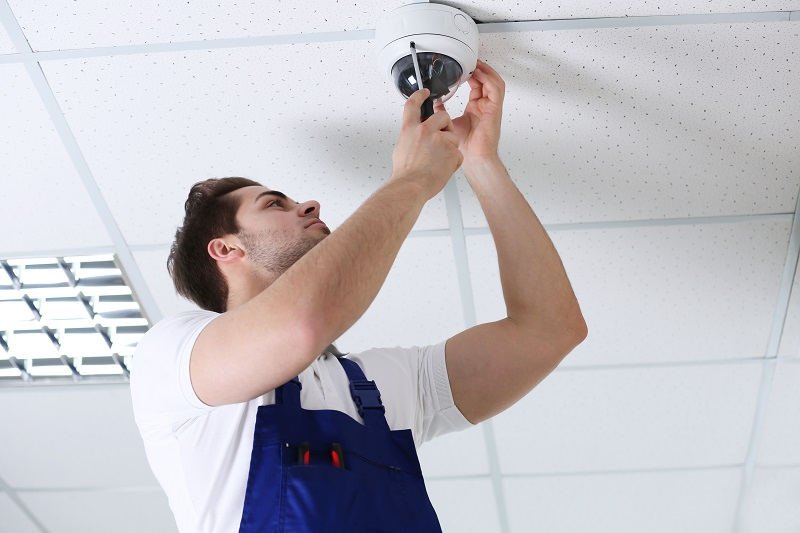
Security camera installation is the supply, mounting and configuration of a CCTV or IP camera system to monitor and record activity at a home or business. In Mount Waverley, security cameras are standard for residential and small-business premises wanting deterrence, evidence capture and remote viewing, with installed systems starting from $900 for a basic 4-camera package.
Key takeaways
- Security cameras are legal when recording your own property or public spaces.
- Victoria’s Surveillance Devices Act restricts audio recording of private conversations.
- Local NVR or SD-card recording works without internet connectivity.
- Internet is only required for remote viewing, cloud backup, and push notifications.
- Professional installation ensures proper camera placement and compliance.
- Night vision, adequate storage, and weather rating are essential for outdoor cameras.
What Types of Security Cameras Are Available?
The two main system types are analog HD-over-coax (TVI/CVI/AHD) using RG59 coaxial cable, and IP (network) cameras using Cat6 network cable. IP is the 2026 standard for new installations because it supports higher resolution (4MP, 4K, 8K), smarter on-camera analytics (line crossing, face detection, vehicle detection), Power-over-Ethernet (one cable for power and data), and easier remote access. Within each type, camera forms include: bullet (weatherproof, directional, long range); dome (discreet, tamper-resistant, indoor/outdoor); turret (no dome cover, no IR reflection, easy to reposition); PTZ (pan-tilt-zoom for active monitoring); and panoramic/multi-sensor (180-360 degree coverage from one camera). For a tailored security camera installation in Mount Waverley, match camera type and resolution to each location rather than the same camera everywhere.
Is it legal to install security cameras at a Mount Waverley home?
Yes, it is legal to install security cameras at a Mount Waverley home, provided they record only your own property or public spaces, not neighbours’ private areas. Under Victoria’s Surveillance Devices Act 1999, audio recording of private conversations without consent is restricted, so disable or mask audio capture on outdoor cameras.
How Much Does Security Camera Installation Cost?
Indicative 2026 installed pricing: 4-camera 4MP IP system with NVR and 2 TB storage $900-$2,200; 4-camera 4K IP system with NVR and 4 TB storage $1,500-$3,500; 8-camera 4K IP system $2,800-$6,000; 16-camera commercial IP system with VMS $5,500-$15,000. Add $250-$600 per premium camera (Hikvision DarkFighter, Dahla Night Breaker, Axis with analytics). Per-camera installation labour alone is $150-$350 including cable run, mounting and configuration. Annual maintenance (clean lenses, check recording, update firmware) is $150-$400. Cloud storage (vs local NVR) adds $10-$50 per camera per month. Pricing depends on camera count, resolution, cable difficulty (single-storey vs two-storey, roof access), and analytics features.
What Resolution and Night Vision Do You Need?
Resolution determines how far you can zoom into recorded footage and still identify a face or numberplate. 1080p (2MP) is the minimum usable standard but limited for identification beyond 6-8 metres; 4MP is the 2026 sweet spot for residential; 4K (8MP) is preferred for covering wide areas and numberplate recognition at 15-20 metres; 8K is overkill for most residential installs. Night vision options: IR (infrared) illuminators are standard, providing black-and-white night vision to 20-40 metres; full-colour night vision uses a low-light sensor plus a small LED spotlight for colour identification at night; thermal is for perimeter detection in zero light. For numberplate recognition (ANPR), use a dedicated ANPR camera with built-in IR and a polarising filter to handle headlight glare.
Do security cameras need internet to work?
No, security cameras do not strictly need internet to work. Local NVR or SD-card recording allows cameras to capture footage without internet connectivity. Internet is required only for remote viewing, cloud backup and push notifications. Many commercial installations use offline recording with on-site storage for security and compliance.
What Are the Privacy and Recording Rules in Victoria?
Victoria’s Surveillance Devices Act 1999 regulates audio recording (video recording without audio is generally unrestricted on your own property). If your cameras record audio, you must post clear signage and cannot record conversations in which you are not a party. You must not point cameras at a neighbour’s private areas (bedroom, bathroom windows, private courtyard) – doing so can be a breach of the Privacy Act and a tort of nuisance. If a camera captures any part of a public space (footpath, road), that is generally acceptable. In a workplace, cameras must be positioned for legitimate security purposes, employees must be notified in writing, and cameras cannot be in change rooms or toilets. Retail stores should post CCTV warning signage at entry. Retention periods of 30-90 days are typical for residential and small business; longer is fine but uses more storage.
How Long Is CCTV Footage Stored and How Is It Accessed?
Footage is stored on a local NVR (Network Video Recorder) with a hard drive sized for the retention period, or in the cloud. Storage math: a 4MP IP camera at H.265 compression, recording 24/7, uses roughly 20-40 GB per day per camera. A 4-camera 4MP system needs 80-160 GB per day, so a 4 TB drive holds 25-50 days. Motion-only recording uses 5-10x less. Cloud storage is charged per camera per month ($10-$50) and is more secure against theft of the NVR but requires good upload bandwidth. Footage is accessed via the NVR’s interface, a phone app (Hik-Connect, Dahua DMSS, Ubiquiti Protect), or a PC client. Exporting footage for police or insurance is typically done via USB from the NVR or via the app.
How Do You Choose a Security Camera Installer in Mount Waverley?
Look for: a security installer licensed where required (Victoria does not licence CCTV installers separately, but a cabling registration is required for any fixed cabling work – ask for an Open Cabler Registration with a security endorsement); 5+ years operating history with references; partnership with reputable brands (Hikvision, Dahua, Axis, Bosch, Ubiquiti); $10-20 million public liability; written quotes specifying camera model and resolution, NVR/storage, cable type, retention period and app; and post-install support including warranty and maintenance. Avoid operators who quote only on ‘number of cameras’ without specifying brand and resolution, who use no-name cameras, or who cannot configure remote access. A good installer walks you through the camera placement on a site plan before any drilling.
Frequently Asked Questions
How much does security camera installation cost in Mount Waverley?
Indicative 2026 installed pricing: 4-camera 4MP IP system with NVR $900-$2,200; 4-camera 4K system $1,500-$3,500; 8-camera 4K system $2,800-$6,000. Per-camera installation labour alone is $150-$350. Annual maintenance is $150-$400.
What resolution do I need for security cameras?
1080p (2MP) is the minimum usable but limited for identification beyond 6-8 m. 4MP is the 2026 sweet spot for residential. 4K (8MP) is preferred for wide areas and numberplate recognition at 15-20 m. 8K is overkill for most residential installs.
Can I point security cameras at my neighbour’s property?
You must not point cameras at a neighbour’s private areas (bedroom, bathroom, private courtyard) – doing so can breach the Privacy Act and be a tort of nuisance. Capturing some public space (footpath, road) is generally acceptable. If your cameras record audio, post clear signage.
How long is CCTV footage stored?
Typical retention is 30-90 days for residential and small business. A 4MP IP camera at H.265 recording 24/7 uses 20-40 GB per day per camera. A 4 TB NVR holds 25-50 days of 4-camera 4MP footage. Motion-only recording uses 5-10x less.
Can I access my security cameras from my phone?
Yes. Modern IP systems stream to phone apps (Hik-Connect, Dahua DMSS, Ubiquiti Protect, Axis) over the internet. You can view live cameras, receive motion push notifications, review recorded footage, and export clips. Cloud storage adds per-camera monthly fees but is secure against NVR theft.
Conclusion
Security camera installation in Mount Waverley delivers deterrent, evidence and remote-monitoring benefits when designed around site, lighting and privacy considerations. Engage a licensed installer, confirm CCTV compliance with Victoria’s Surveillance Devices Act, and select hardware with adequate night vision, storage and weather rating. Professionally installed systems provide reliable evidence, support insurance claims and add measurable safety for homes and small businesses.